Why Windows 10 Won't Show My HEIC Photos (2026 FAQ)
2026-06-10 · 6 min read
HeicSave team
We test HEIC workflows on Windows 11, macOS, Chrome, and Edge before publishing. Editorial standards
Short answer: Windows 10 often cannot display HEIC until HEIF codecs are installed. If Store installs are blocked, convert to JPG in your browser at HEIC to JPG. Files stay on your PC—no server upload.
Why Windows 10 shows a blank icon for HEIC
iPhone photos use HEIC compression. Windows 10 does not ship full HEIC decode for Explorer thumbnails and older apps. You may see:
- Grey tile instead of preview
- "Unsupported" in Photos
- Email clients refusing .heic attachments
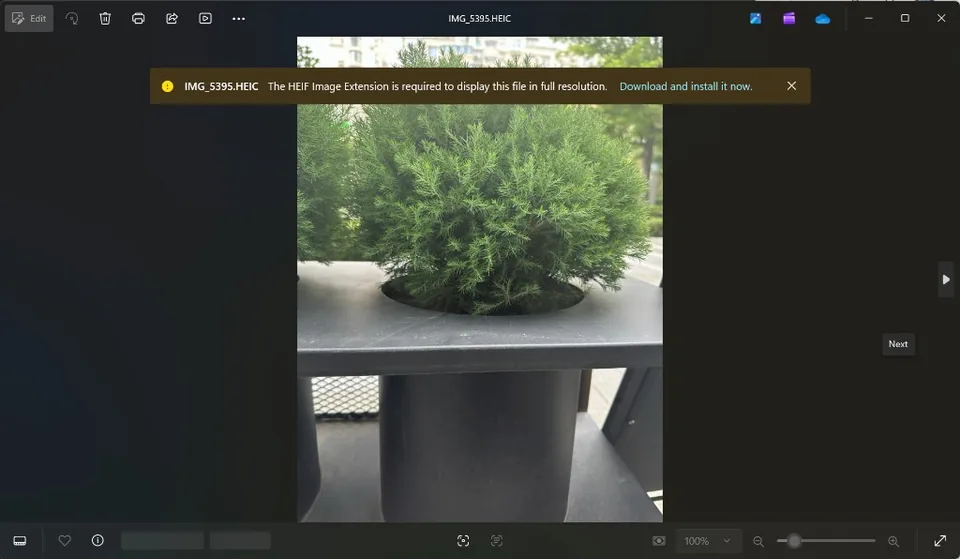
FAQ — Windows 10 HEIC not showing
Why won't Windows 10 display my HEIC images?
Missing HEIF Image Extensions (Microsoft Store). Corporate PCs often block them. Browser conversion sidesteps admin rights.
How do I view iPhone photos on Windows 10 without codecs?
- Open HEIC to JPG in Chrome or Edge.
- Select or drop .heic files.
- Convert locally — JavaScript + WebAssembly in your tab.
- Open JPGs in Photos, Paint, or IrfanView.
Are online converters safe for family photos?
Many upload to US servers. HeicSave never receives your image bytes—conversion is client-side only. See privacy guide.
HEIC vs JPG on Windows 10 — which for sharing?
Keep HEIC on iPhone for storage. Use JPG when sending to Windows users, printers, or web forms.
Related
Tool: HEIC to JPG