What Is a HEIC File? Complete Guide (2026)
2026-01-15 · Updated 2026-06-16 · 12 min read
HeicSave team
We test HEIC workflows on Windows 11, macOS, Chrome, and Edge before publishing. Editorial standards
Last updated: June 16, 2026
If you copied photos off an iPhone recently, you probably ran into .heic files. That extension is HEIC (High Efficiency Image Container). Apple picked it because a typical shot uses roughly half the space of JPEG at similar quality.
The trade-off shows up fast: Windows without codecs, Gmail rejecting attachments, gray thumbnails in Drive. We maintain HeicSave for that handoff—convert in the browser when the other side only accepts JPG.
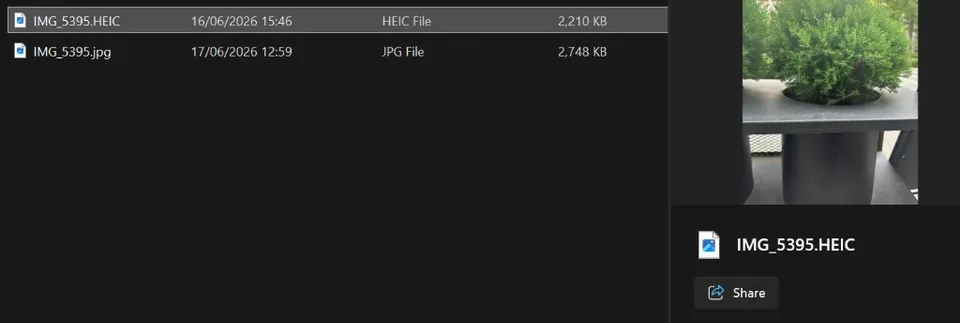
Working through 50–200 files? See batch HEIC to JPG workflow. Email bounced? HEIC attachment guide. Photoshop or Premiere stuck on iPhone stills? Links below.
Why does Apple use HEIC?
Phone storage fills up. HEIC keeps more photos on device and in iCloud without obvious quality loss. Apple has used it since iOS 11. Outside Apple’s world, compatibility is still the weak spot.
HEIC vs HEIF (same family)
You may see .heic, .heif, or .HEIC. For iPhone stills they behave the same. Our HEIC to JPG tool accepts common variants.
HEIC vs AVIF (different formats)
AVIF is a web format (AV1-based), not Apple’s iPhone default. Browsers display AVIF; Windows Explorer may still show blank thumbnails. If the problem is .avif, not .heic, see AVIF thumbnails in Explorer and convert AVIF to JPG.
Can Windows open HEIC?
Windows 10 and Windows 11 can open HEIC after optional Microsoft Store codecs (HEIF Image Extensions, sometimes HEVC). Many people skip install and convert to JPG instead—especially on locked-down work PCs. On Windows 11 24H2, Photos may preview HEIC while Adobe apps still fail. Codecs fix the viewer, not every editor.
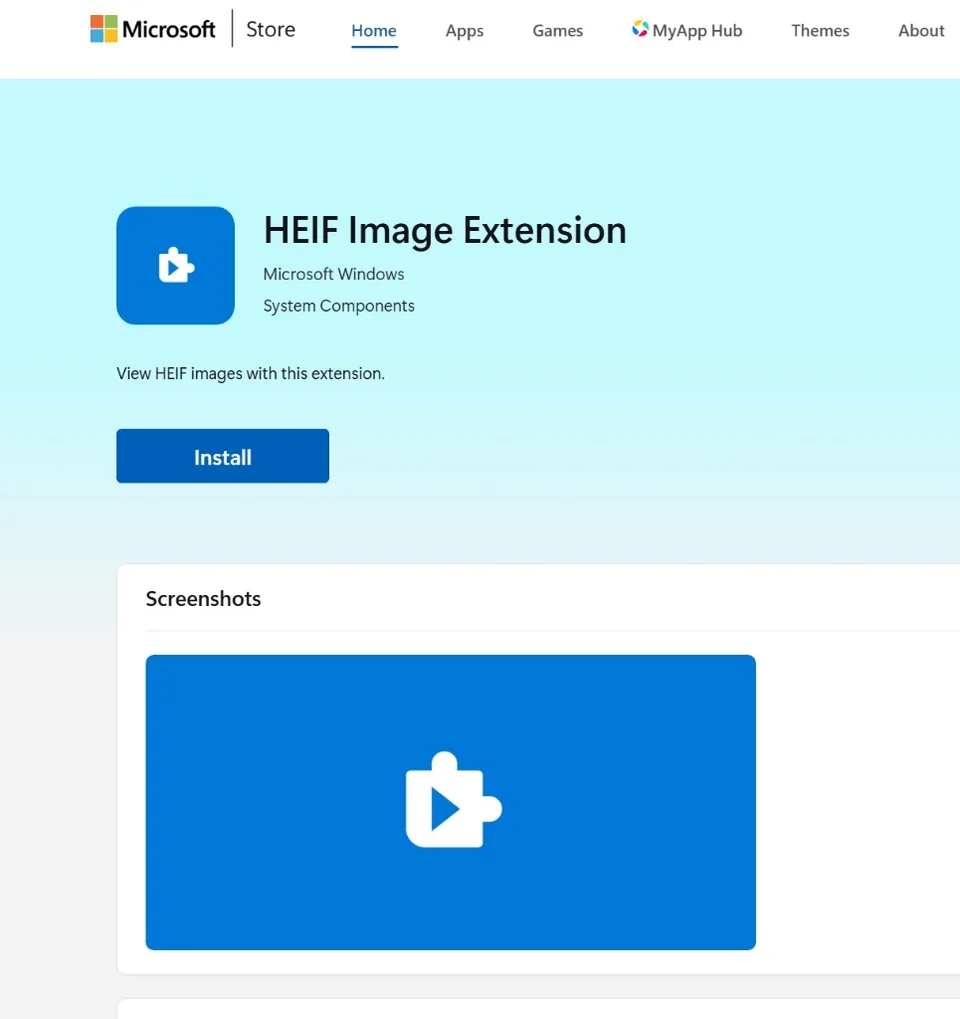
Full walkthrough: How to Open and Convert HEIC on Windows.
HEIC in Adobe and video editors
Premiere Pro, After Effects, Photoshop, and older Creative Cloud builds expect JPEG or PNG for stills. Dragging a folder of iPhone .heic files into an editor often ends in a hang, “file format not supported,” or a full app crash because the tool lacks a stable HEIF decoder on your OS.
Photoshop-specific fix: even when Camera Raw previews HEIC, File → Open, actions, and batch scripts may still fail. Convert first, then open JPG/PNG — full walkthrough: HEIC won't open in Photoshop.
The reliable workflow for Premiere: batch-convert stills with HEIC to JPG or HEIC to PNG on the PC, then import the converted folder. Step-by-step for Premiere crashes and proxy settings: Import HEIC into Premiere Pro without crashing.
How to convert HEIC (no upload)
Use a browser-based converter that processes files locally. Our HEIC to JPG tool lets you:
- Convert many files in one session (no fixed batch cap)
- Adjust JPEG quality with a slider before converting
- Download results individually or as a ZIP
- Keep common EXIF data (date, camera model) in JPG when possible
Nothing is uploaded to our servers. For transparency or editing workflows, use HEIC to PNG instead. For smaller web uploads after conversion, try HEIC to WebP.
Email and Outlook still hate HEIC
Work mail, Gmail, and Outlook often block .heic even when the photo looks fine on your iPhone. The fix is almost always the same: convert to JPG before you attach, or change iPhone transfer settings so the PC gets JPEGs over USB. Step-by-step for Outlook and webmail: HEIC email attachment rejected.
Slack, Discord, and US/UK workplace uploads
In Slack and Discord, dragging an iPhone .heic into a channel often becomes a file download instead of an inline image preview—teammates cannot see the photo without opening the attachment. Convert to JPG first, the same fix as email.
US and UK portals (university applications, bank ID verification, HR onboarding, visa uploads) frequently reject .heic and only accept JPG or PDF. If a government or school site says your iPhone ID photo is an unsupported format, batch-convert with HEIC to JPG before you upload—nothing is sent to our servers during conversion.
iOS 18 and iPhone transfer in 2026
iOS 18 did not replace HEIC as the default camera format. You still get HEIC on USB unless you pick Most Compatible (Settings → Camera → Formats) or set Photos → Transfer to Mac or PC to push JPEGs when iOS thinks the PC cannot decode HEIC — which is inconsistent on Windows 11 after driver updates.
For editors and print, assume you will convert after transfer. For email, convert before attach (Outlook & Gmail guide).
Troubleshooting HEIC in 2026
| Symptom | Likely cause | Fix |
|---|---|---|
| Photos app opens HEIC, Premiere does not | Viewer codec ≠ editor support | Convert to JPG/PNG then import (Premiere guide) |
| Thumbnails gray in Explorer | Missing HEIF extension | Install HEIF from Microsoft Store, or convert batch |
| Colors look washed after convert | Wrong color profile / quality slider too low | HEIC color washed out guide |
| USB copy still all .heic | “Automatic” transfer guessed wrong | Transfer iPhone photos to Windows |
| Live Photo only plays as still | Need separate .mov | Live Photo guide |
Common scenarios in 2026
| Situation | What to do |
|---|---|
| Email attachment rejected | Convert to JPG first |
| Slack/Discord shows download, not preview | Convert HEIC to JPG before posting |
| US/UK form rejects iPhone ID photo | Portal wants JPG/PDF—not HEIC; convert locally first |
| Premiere / Photoshop import crash | HEIC → JPG before timeline · Photoshop fix |
| Google Drive folder full of HEIC | Download ZIP → batch convert → re-upload JPGs (guide) |
| iPhone → Windows USB copy still HEIC | Normal; convert after transfer (transfer guide) |
| Need lossless raster | HEIC to PNG |
| Live Photo (.heic + .mov) | Convert the .heic still only (Live Photo guide) |
HEIC vs JPG
| HEIC | JPG | |
|---|---|---|
| Size | Smaller | Larger |
| Compatibility | Apple-first | Universal |
| Best for | iPhone storage | Sharing everywhere |
| Print shops / government forms | Often rejected | Accepted |
When you need to email photos to family or upload to a legacy portal, JPG remains the safe choice.
Batch convert hundreds of HEIC files
For albums, Google Drive exports, or wedding folders: open HEIC to JPG, drop many files at once, set JPEG quality, download a ZIP. Conversion stays in the browser — useful when IT blocks Store codecs on a work laptop. Drive workflow: batch convert from Google Drive.
Related guides
- Import HEIC into Premiere Pro
- HEIC won't open in Photoshop
- Why iPhone uses HEIC
- Turn off HEIC on iPhone
- HEIC vs JPG comparison
- Transfer iPhone photos to Windows
- HEIC email attachment rejected
- HEIC on Windows
- Best HEIC converters (2026)
Convert now: HEIC to JPG · HEIC to PNG